













Adobe After Effects is an essential tool for creating visual effects in video production. With a wide range of effects available, you can transform your footage into professional-grade cinematic pieces. In this article, we present the top 10 best effects in After Effects, along with a brief explanation of each and how to use them in your video projects.
🎬 Don’t have After Effects yet?
Get the full version FREE for 7 days and follow this tutorial step-by-step.
Download Free Trial
Get the full version FREE for 7 days and follow this tutorial step-by-step.
Download Free Trial
Table of Contents
◉ Venetian Blinds ◉ Fill & Gradient Ramp ◉ Add Noise & Add Grain ◉ Fractal Noise ◉ Simple Choker ◉ Linear Wipe ◉ Gaussian & Fast Box Blur ◉ Motion Tracker & Camera Tracker ◉ Glow ◉ Curves
10. Venetian Blinds

The Venetian Blinds effect simulates the appearance of Venetian blinds, creating horizontal or vertical lines across your image. It’s ideal for creative transitions or effects where video or image layers gradually reveal or hide. You can use this effect to add a stylish touch to your transitions or as a unique way to reveal a scene in your project.
9. Fill & Gradient Ramp

The Fill & Gradient Ramp effect allows you to apply a solid color or gradient to your layers. The Fill effect applies a single color, while the Gradient Ramp creates a smooth transition between two colors. This effect is perfect for creating eye-catching backgrounds, highlighting key elements in your composition, or designing color animations. Using a gradient in your backgrounds can add depth and improve the overall aesthetic of any scene.
8. Add Noise & Add Grain
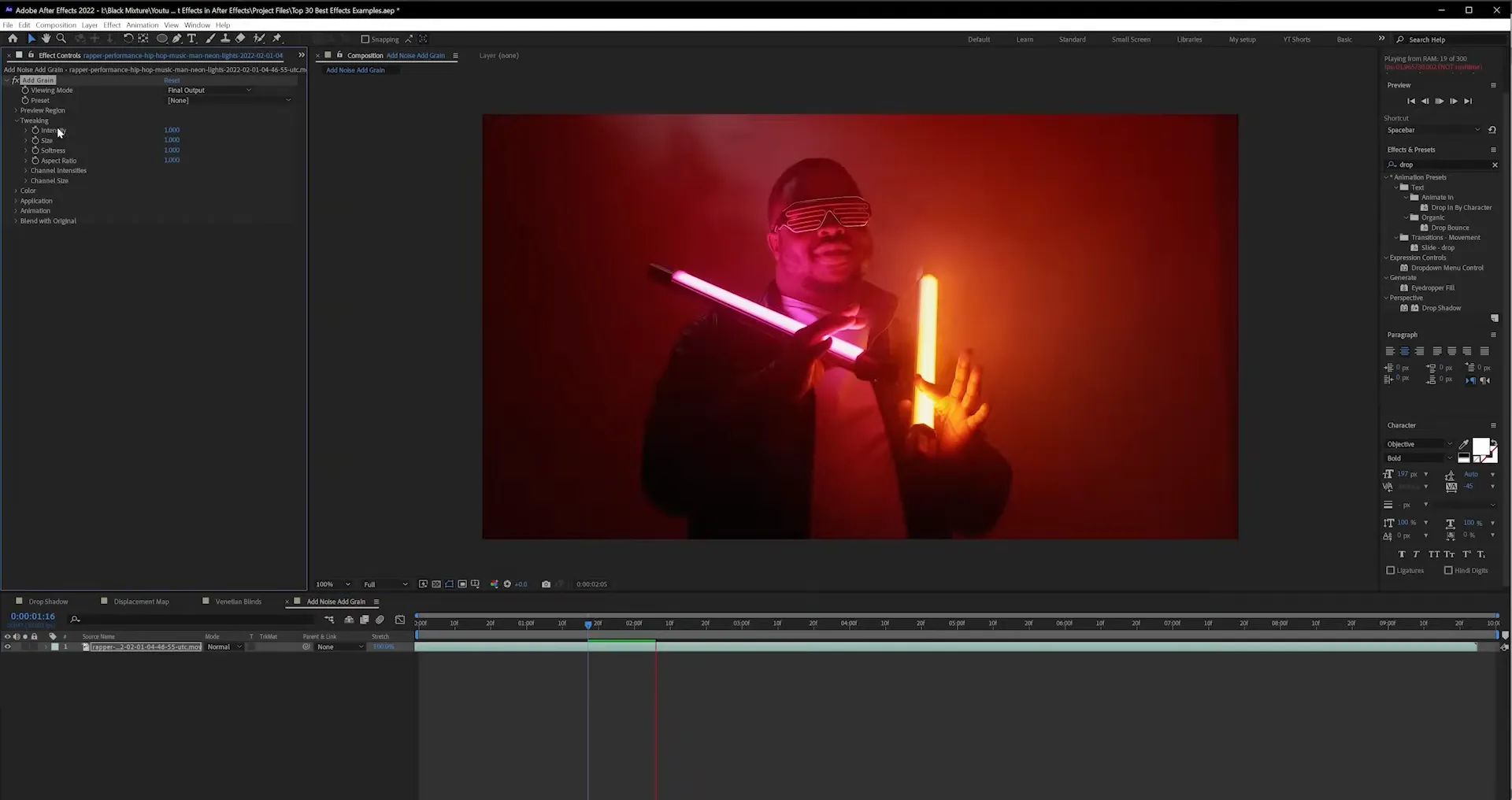
The Add Noise and Add Grain effects introduce noise or grain to your video, which can add texture or make the footage appear more cinematic. These effects are great for emulating the look of classic films or giving your footage a more organic appearance. If you're going for a retro or lo-fi look, adding grain or noise could be just what you need.
7. Fractal Noise
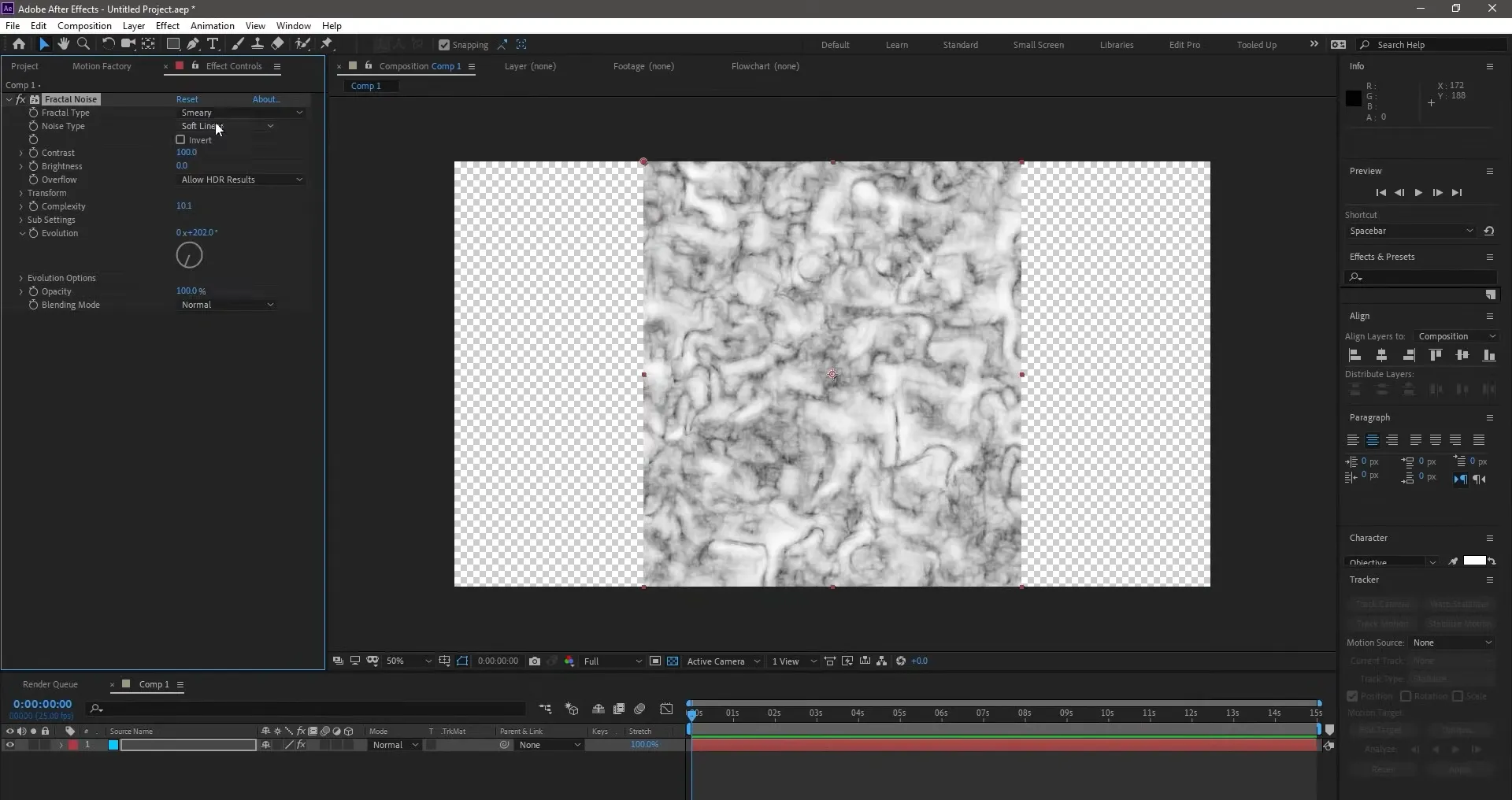
The Fractal Noise effect generates complex noise patterns that result in abstract textures, which can be used to create backgrounds, clouds, fire, or psychedelic effects. This effect is incredibly versatile, and its ability to be animated makes it an excellent choice for creating dynamic, one-of-a-kind visual effects. Use it to simulate natural elements like smoke or water, or to create stunning and abstract backgrounds.
6. Simple Choker
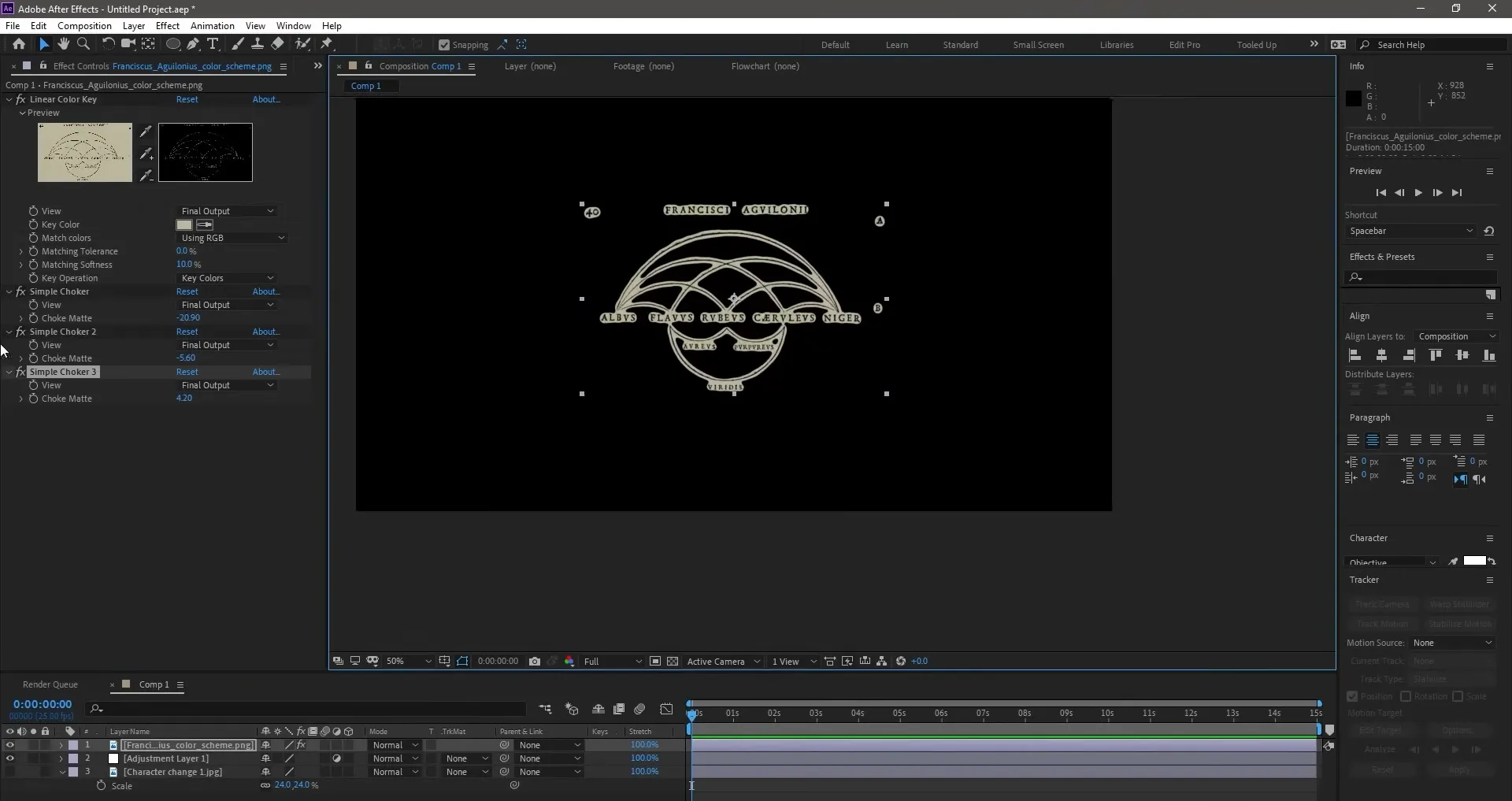
The Simple Choker effect allows you to control the edges of a mask or layer by adjusting its shape and softness. Using this effect, you can contract or expand the edges of the mask, creating a "cut-out" effect that’s very useful. It’s a simple but effective tool for perfecting the masks and sharp edges in your compositions, ideal for refining the cut-out of objects or elements that require precision.

Create Stunning Visuals with the Latest After Effects
Unlock Motion Tracking, 3D Camera Tools, and advanced effects—now faster than ever.
Get It Now
5. Linear Wipe
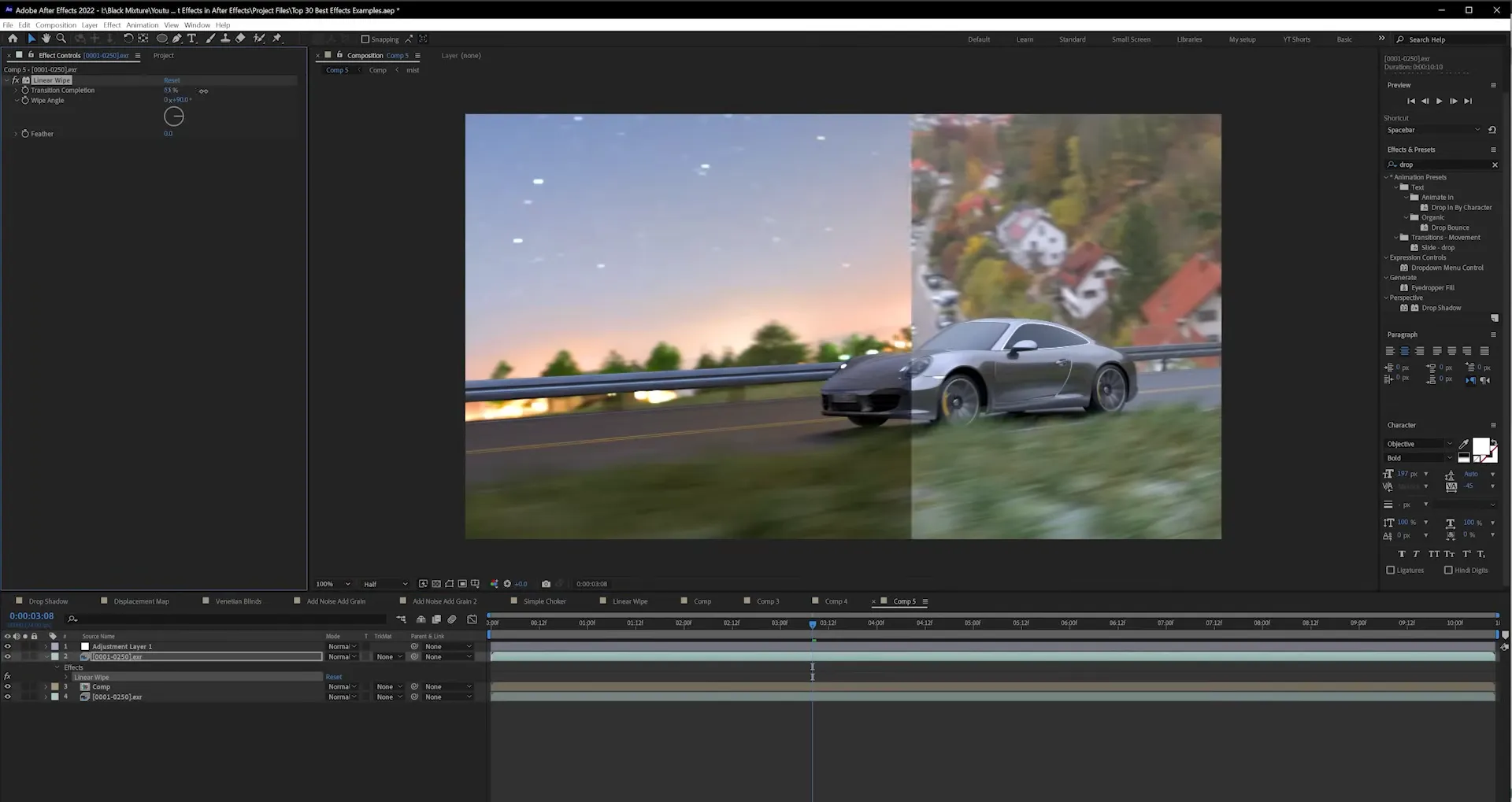
The Linear Wipe effect is perfect for creating smooth horizontal or vertical transitions between two video or image layers. This effect gradually reveals or hides parts of your composition, creating a clean sweeping animation. It’s ideal for scene transitions or dynamically layering elements, and it’s easy to control through its direction and speed settings.
4. Gaussian & Fast Box Blur

The Gaussian Blur and Fast Box Blur effects apply blur to your layers, softening details and drawing attention to a specific part of the image. While the Gaussian Blur offers a softer, more natural blur, the Fast Box Blur is more efficient and quicker, ideal for projects with time constraints. Both effects are perfect for softening backgrounds, creating smooth transitions, or simulating depth of field in a scene.
3. Motion Tracker & Camera Tracker
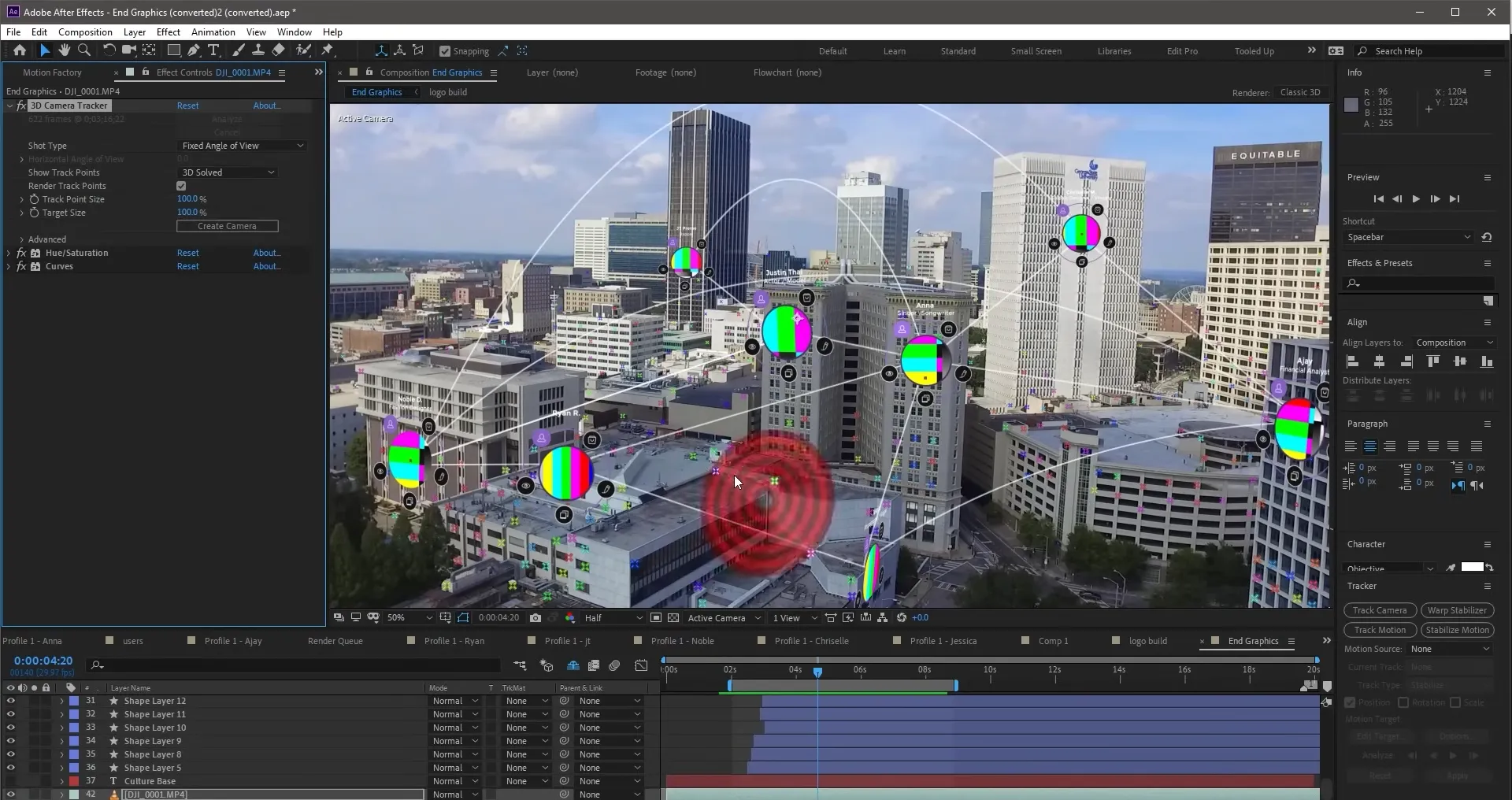
The Motion Tracker and Camera Tracker effects are essential for integrating visual effects into live-action footage. The Motion Tracker allows you to track a moving object within the video, while the Camera Tracker recreates the movement of the camera in a 3D environment. Both effects are crucial when combining animated graphics with live-action footage or for complex compositing effects.
2. Glow

The Glow effect adds a glowing effect to your layers, ideal for simulating light sources or creating a neon effect on specific elements of your video. The Glow effect can be adjusted to give a subtle or intense glow, depending on the style you're aiming for. It’s commonly used to highlight key elements in a scene, such as text or graphics, or to create futuristic effects in sci-fi films.
1. Curves

The Curves effect is one of the most powerful tools in After Effects for color correction. It allows you to adjust the tones of your video precisely, enhancing contrast, saturation, and brightness. With Curves, you can make subtle improvements or dramatic changes, giving your video a cinematic look. It’s an essential tool in any color grading workflow and an indispensable feature for any video editor looking for professional results.
These 10 After Effects effects are essential tools for any video professional looking to enhance the visual quality of their projects. From simple transitions to complex effects that integrate 3D and camera tracking, After Effects offers incredible flexibility that can elevate any project to the next level. Experiment with these effects and discover how they can transform your workflow and the aesthetics of your videos.


